IQ | Stock | Maintenance - How to create a non-stock item & stock department

Overview:
This is a description of the process to create a non-stock item and stock department
The system caters for both normal stock items and buyouts (i.e. non-stock items). Non-stock items are
usually items that are not kept as a regular stock on hand item such as labour, delivery, call out items. To create a non-stock item code, the
correct stock category needs to be selected in Stock Item Maintenance. The description of this item may be
left blank as can the cost and selling price, as these fields usually vary from item to item and are usually entered
when doing the invoice.

NOTE: The unit cost must be left blank.
An Essential part of correctly reporting on non stock items in the ledger is to have the correct Non Stock Department is setup.

Steps to follow to set up a Non Stock Department:
-Go to Utilities -> Setup -> Module Parameters
-Navigate to Stock -> Major Departments
-If you do not have a Non Stock department use the Add button (bottom of screen) to add it

When adding a non stock department the Posting method needs to be set to Periodic Stock Control.
This is because Non stock items do not have a cost of sales impact.
Once the Non Stock department is created the Non Stock Item can be added.
Steps to follow to create a Non Stock Item:
- Go to Stock -> Maintenance
-Use the Add Button (bottom of screen) to add your new Non Stock Item
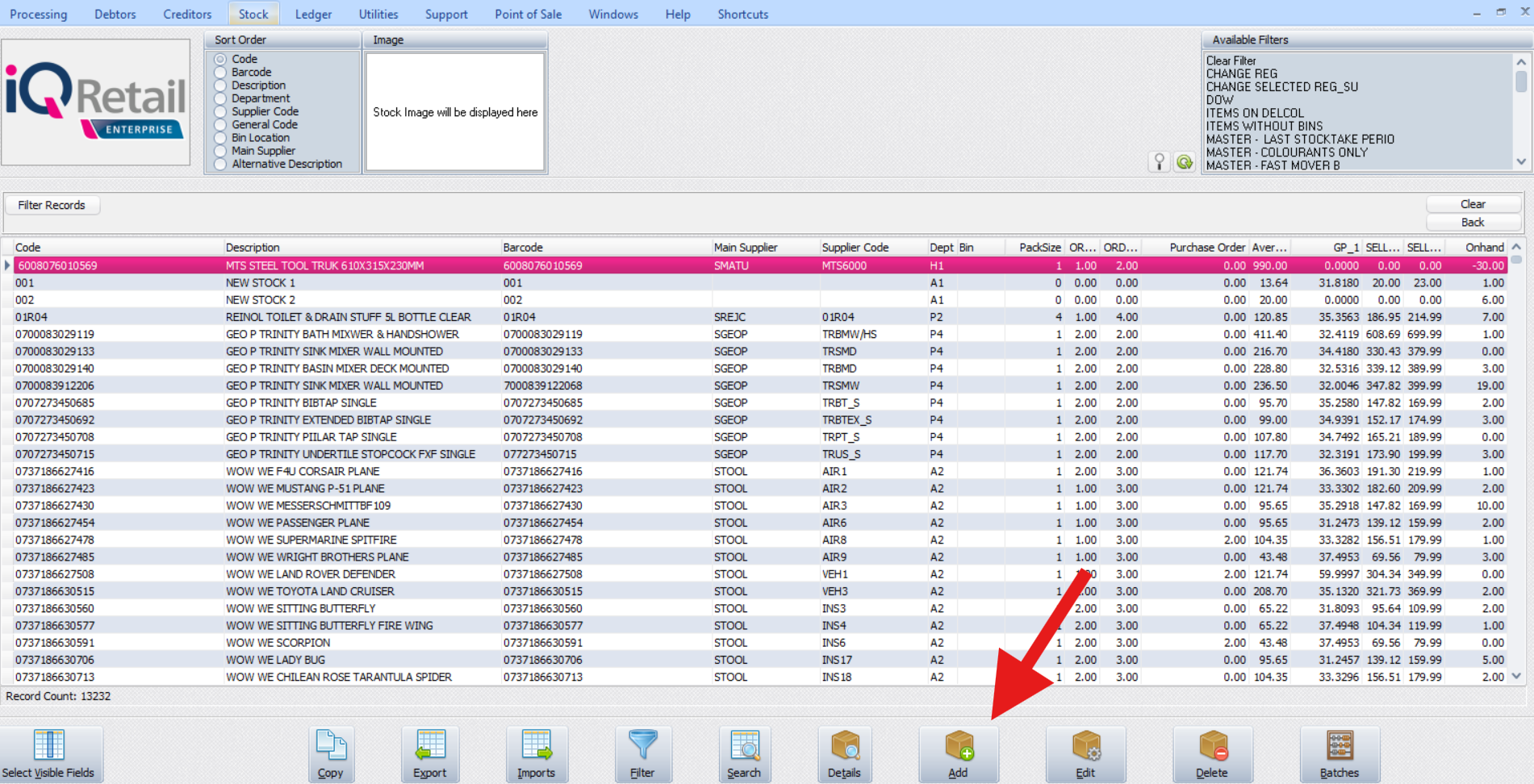
-Now add the new Non Stock Item
It is critical to choose "Non Stock Item" under the drop down option for Item Category
as well as selecting the correct Non Stock Department under the drop down for Major Department
To complete your Item setup check the Tax Rate that is required for the item
Related Articles
Stock | Utilities | Stock Price Update
(Please note that certain relevant content from the IQ Retail Training Team was used to develop the knowledge base article.) The IQ Stock Price Update module has been designed to allow users to import their own stock master file details (stock ...Stock | Maintenance | Attachments
Version: 2024.8.0.0 Overview: A new tab was added to Stock Maintenance, namely “Attachments” which enables the attaching of images & documents such as brochures, data sheets, technical specifications etc. per product with the view to store documents ...Stock take process - IQ | Stock | Utilities | Stock take
Overview: Stock take is the process of counting all stock to obtain an accurate determination of stock levels which is needed to determine any variances and assist with control & management. There are 2 types of stock takes that can be done on IQ: - ...Stock | Reports | Stock Lists
(Please note that certain relevant content from the IQ Retail Training Team was used to develop this knowledge base article.) Overview: This article will guide you on how to use and generate the stock lists reports. Steps to follow: - Select the ...Stock | Maintenance | Setup cascading items
Overview: The system caters for multi-relational products, i.e. when an item is purchased in bulk and then broken into separate packs/sub-items that are then sold as individual products. EXAMPLE: Let’s say that you have a store and wish to set up a ...